Confirmation is not very effective, except if you use the function rarely. If you use it a lot, confirming just goes into musle memory.
The “shit, i didn’t mean to do that” moment is really when concious thought kicks in again. That’s why undo is so great.
Filesystems are either pretty simple or really complex. The old dos FAT filesystem just overwrote the first character of a file name with an omega, and so usually you could just undelete by having a utility that would change the name back, as long as nothing used the blocks.
Modern filesystems are an absolute wonder of spinning wheels inside of spinning wheels allocating ranges of blocks, and then doing bookkeeping to reorganize linked data structures as fast as an SSD can write or as efficiently as possible on spinning rust.
Some log structured filesystems can do special snapshotting either automatically like NetApp ontap or manually like zfs so that when you take a snapshot any further changes preserve a view of that snapshot at a point in time that you can treat like a special directory where you can cd to and copy back out data as it was as long as you have space. Windows supports this kind of functionality with the VSS API if the underlying FS tech supports it.
The downside to these approaches is that they tend to cause fragmentation, can cause a lot of extra space to be used (after all, if you delete a tb, it may be because you meant to and you needed to, so if you mean it, why hasn’t it gone away, etc.,) and are a lot of complexity that 99% of the time 99% of the people don’t want to think about it or pay for it (pay as in it’s slower, uses more space, the complexity leads to more failure modes, etc )
i think the better way would be to replace rm with something that just moves files to a trash bin like how graphical file managers do it.
if you were just pulling the data back off the disk, and you didnt notice it IMMEDIATELY or a background process is writing some data, it could still be corrupted.
there was something like that i had on win3.2 called like undel.exe or something, but same deal, often it was courupted somehow by the time i was recovering the data
I usually don’t think about it at all, but every now and then I’m struck by how terrifyingly destructive rm -r can be.
I’ll use it to delete some build files or whatever, then I’ll suddenly have a streak of paranoia and need to triple check that I’m actually deleting the right thing. It would be nice to have a “safe” option that made recovery trivial, then I could just toggle “safe” to be on by default.
Honestly, after re-reading my own comment, I’m considering just putting some stupid-simple wrapper around mv that moves files to a dedicated trash bin. I’ll just delete the trash bin every now and then…
-Proceeds to collect 300 GB of build files and scrapped virtual environments over the coming month-
Then can alias rm to echo Use trash instead! or something. You wanna build new habits, not co-opt rm, it could happen easily that you’re ssh’d into a system where your rm alias doesn’t exist or similar


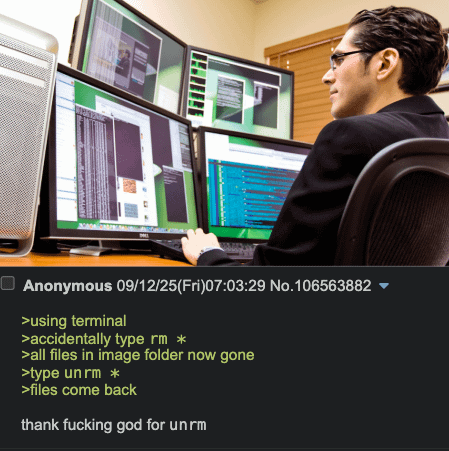
dumb question, how hard would it be to implement?
when most files are deleted, they aren’t removed from memory, just their indexes are.
how about rm just marks the index as discartable in case a new file needs space it can be saved there, but until then, rm can be reversed?
isn’t this just
gvfs-trash?Sometimes distros will alias rm with the -i flag so it prompts for each file. An annoyance but makes you stop and think before continuing.
Confirmation is not very effective, except if you use the function rarely. If you use it a lot, confirming just goes into musle memory. The “shit, i didn’t mean to do that” moment is really when concious thought kicks in again. That’s why undo is so great.
Filesystems are either pretty simple or really complex. The old dos FAT filesystem just overwrote the first character of a file name with an omega, and so usually you could just undelete by having a utility that would change the name back, as long as nothing used the blocks.
Modern filesystems are an absolute wonder of spinning wheels inside of spinning wheels allocating ranges of blocks, and then doing bookkeeping to reorganize linked data structures as fast as an SSD can write or as efficiently as possible on spinning rust.
Some log structured filesystems can do special snapshotting either automatically like NetApp ontap or manually like zfs so that when you take a snapshot any further changes preserve a view of that snapshot at a point in time that you can treat like a special directory where you can cd to and copy back out data as it was as long as you have space. Windows supports this kind of functionality with the VSS API if the underlying FS tech supports it.
The downside to these approaches is that they tend to cause fragmentation, can cause a lot of extra space to be used (after all, if you delete a tb, it may be because you meant to and you needed to, so if you mean it, why hasn’t it gone away, etc.,) and are a lot of complexity that 99% of the time 99% of the people don’t want to think about it or pay for it (pay as in it’s slower, uses more space, the complexity leads to more failure modes, etc )
i think the better way would be to replace rm with something that just moves files to a trash bin like how graphical file managers do it.
if you were just pulling the data back off the disk, and you didnt notice it IMMEDIATELY or a background process is writing some data, it could still be corrupted.
there was something like that i had on win3.2 called like undel.exe or something, but same deal, often it was courupted somehow by the time i was recovering the data
I usually don’t think about it at all, but every now and then I’m struck by how terrifyingly destructive
rm -rcan be.I’ll use it to delete some build files or whatever, then I’ll suddenly have a streak of paranoia and need to triple check that I’m actually deleting the right thing. It would be nice to have a “safe” option that made recovery trivial, then I could just toggle “safe” to be on by default.
I think one solution is (browseable) Snapshots
Honestly, after re-reading my own comment, I’m considering just putting some stupid-simple wrapper around
mvthat moves files to a dedicated trash bin. I’ll just delete the trash bin every now and then…-Proceeds to collect 300 GB of build files and scrapped virtual environments over the coming month-
There are solutions already. Just use them instead of
rmhttps://wiki.archlinux.org/title/Trash_management
Then can alias rm to
echo Use trash instead!or something. You wanna build new habits, not co-opt rm, it could happen easily that you’re ssh’d into a system where your rm alias doesn’t exist or similarMy thought wasn’t to alias
rm, but rather to make a function likermv <file>that would move the file to a trash directory.But of course this already exists- thanks for pointing me to the resource:)